See the Scale.
Hear the Chord.
Play the Music.
The jazz practice app that helps you improvise — smart scale recommendations, lick library with auto-transposition, harmonic analysis, performance mode for live gigs, and bulk MusicXML import. Built as a learning tool by a musician, for musicians.
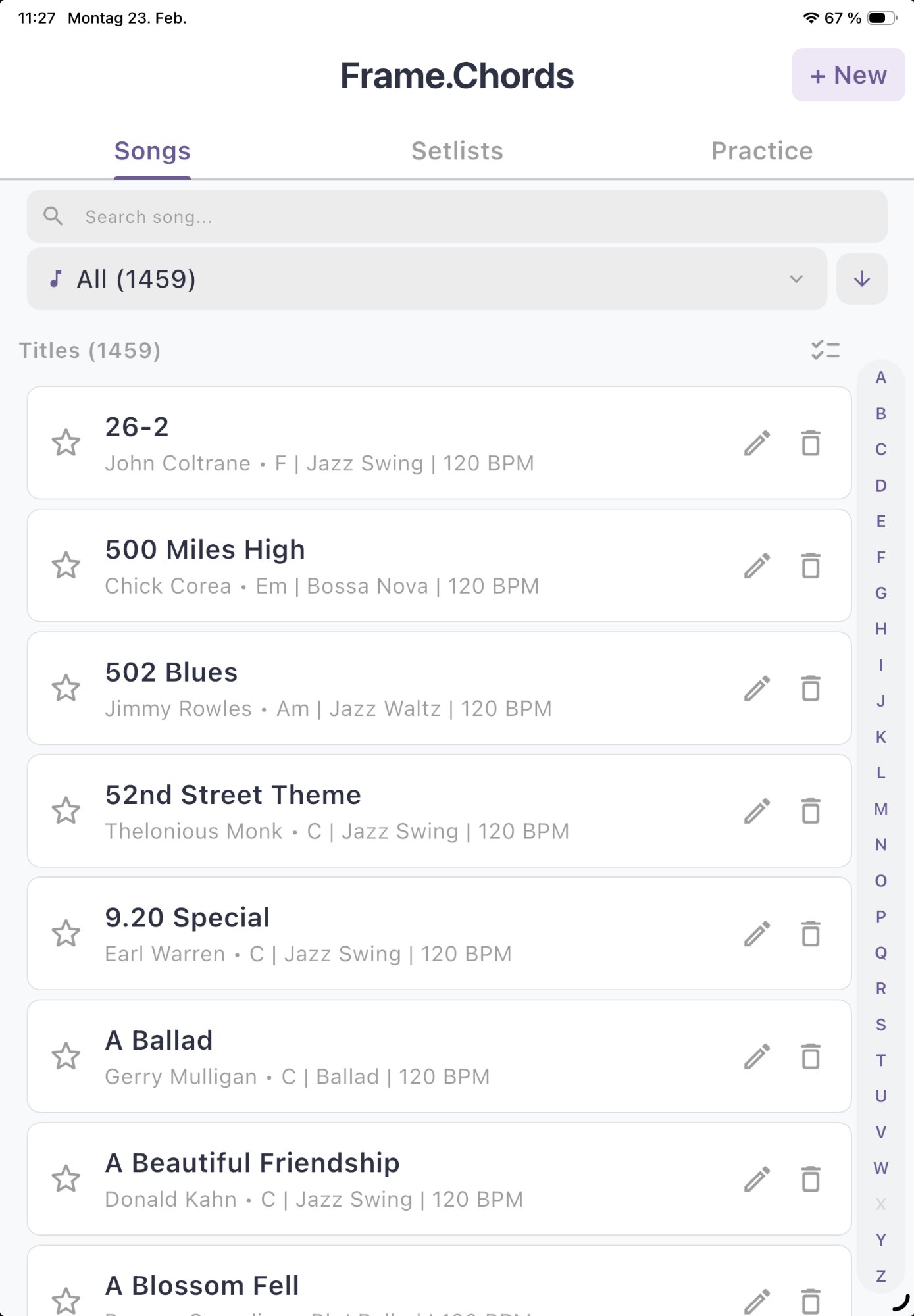
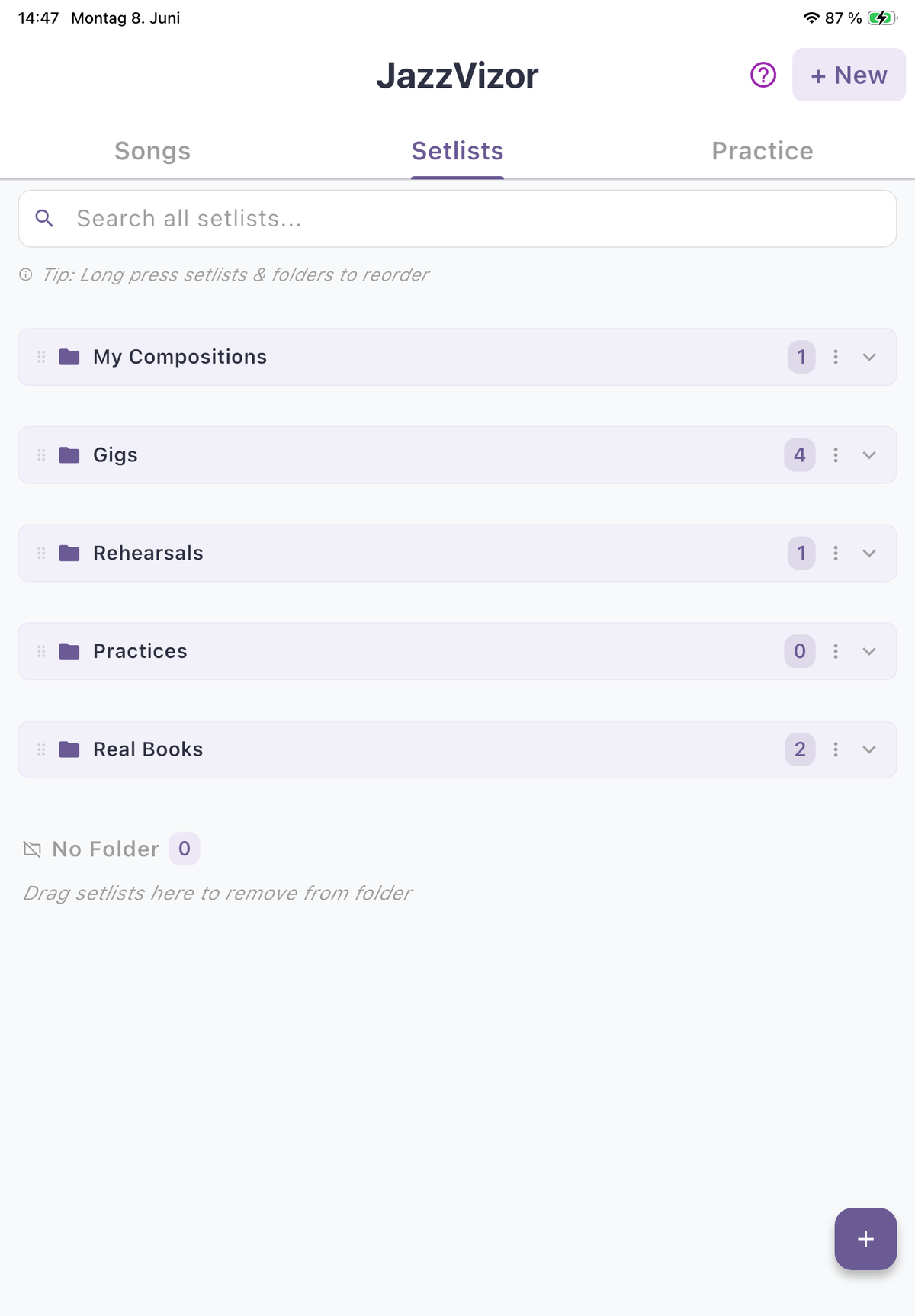
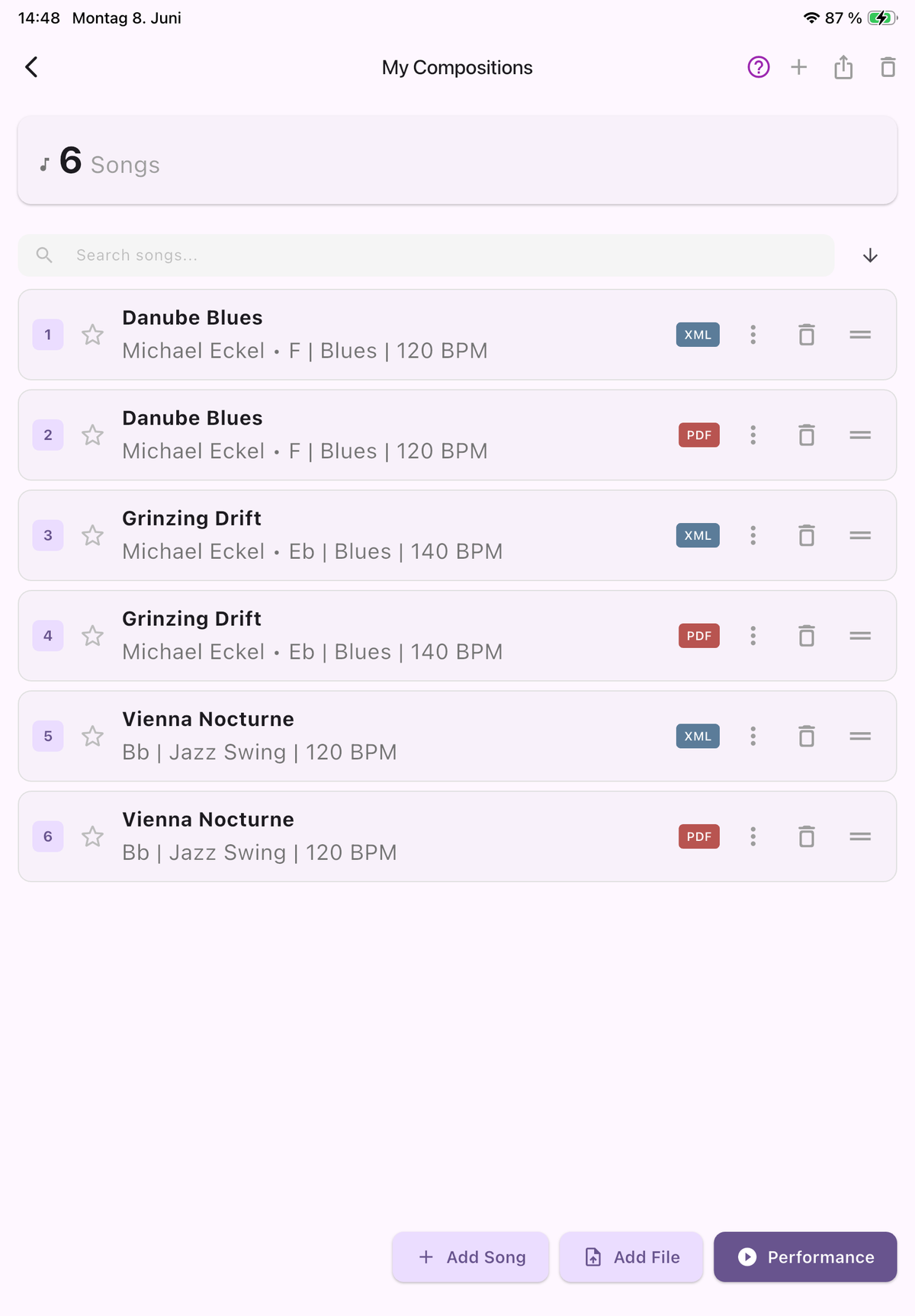
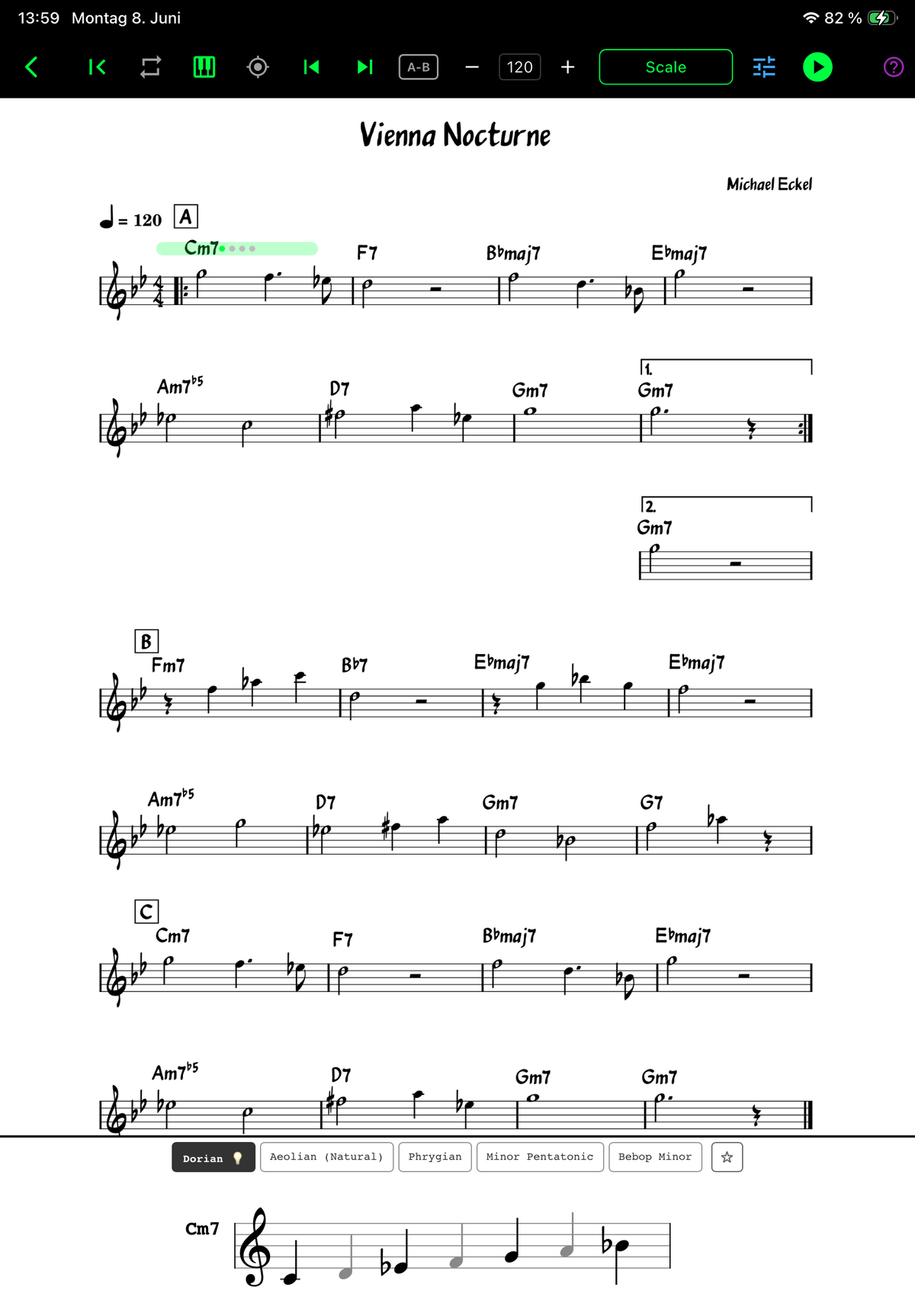
Not just chords. Understanding.
Other apps show you the chords and play a backing track. JazzVizor shows you what to play over each chord — in real-time, as notation, synchronized to the music.
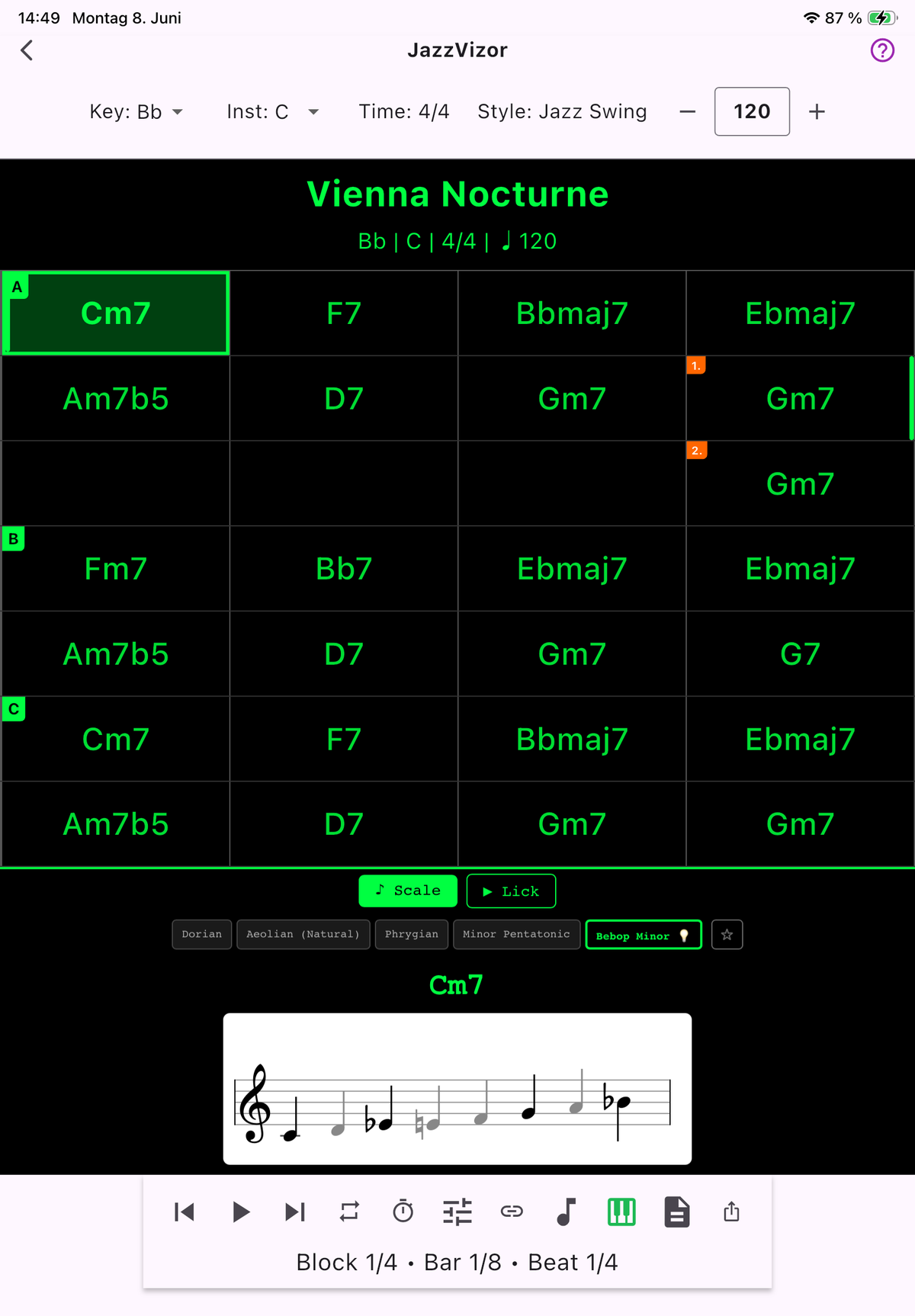
Smart Scale Recommendation
Pattern-recognition for ii-V-I, tritone subs, modal interchange and more. The recommended scale lights up — but you can always choose another. No theory degree required.
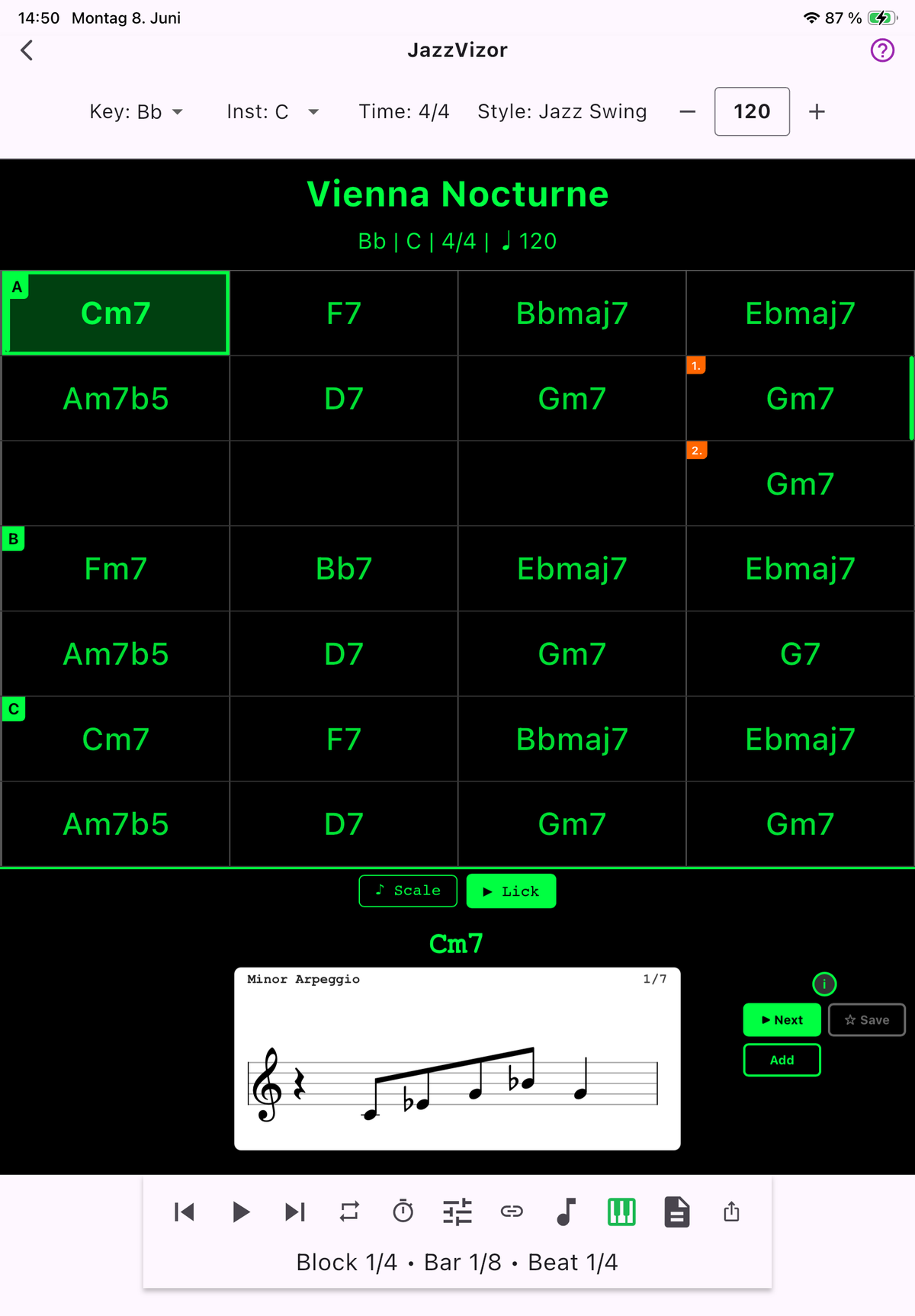
Lick Library
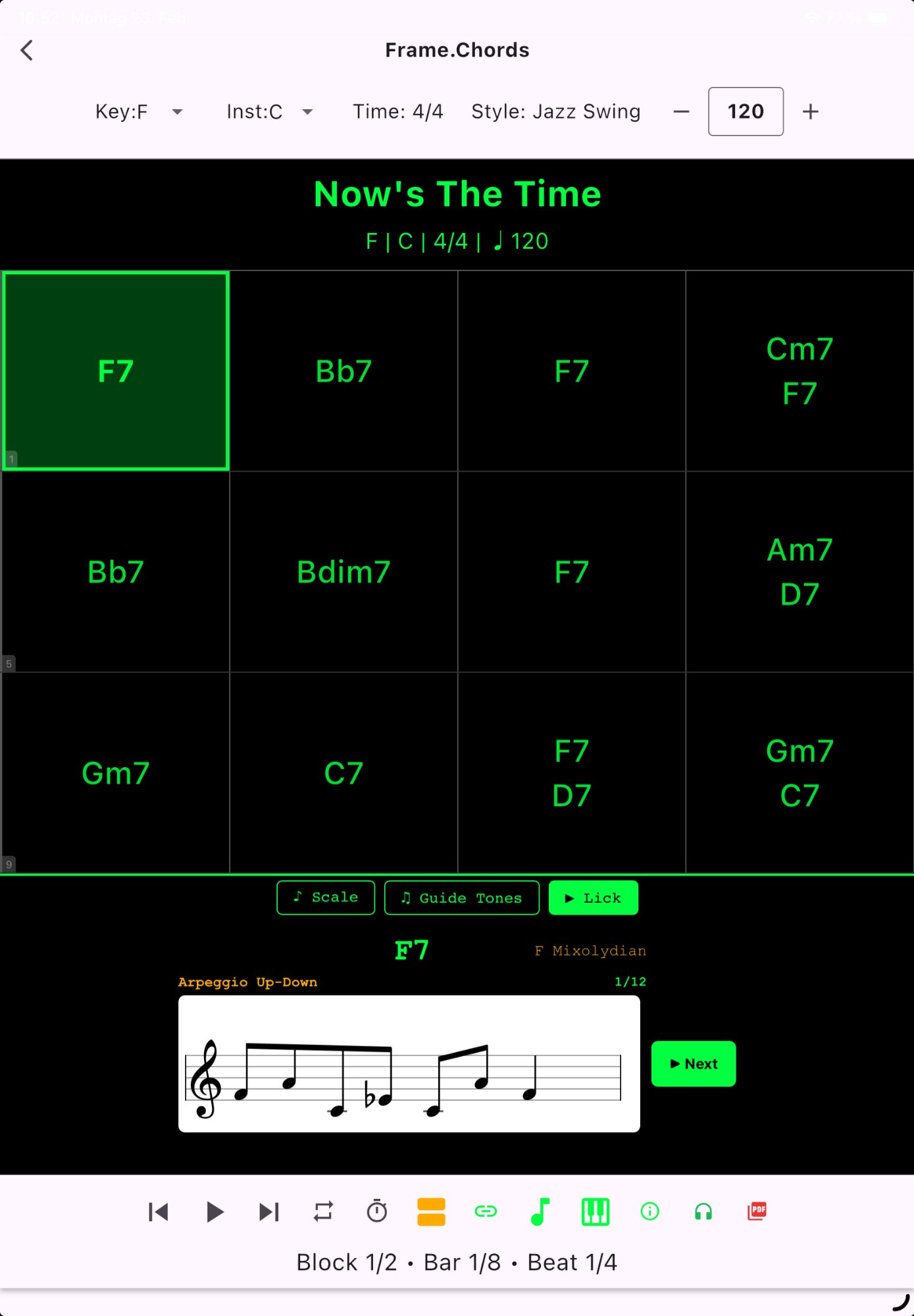
40 built-in jazz licks in 5 categories (Dom7, Minor, Major, m7b5, dim7) — plus import your own. All auto-transposed to every chord during playback.
Harmonic Analysis
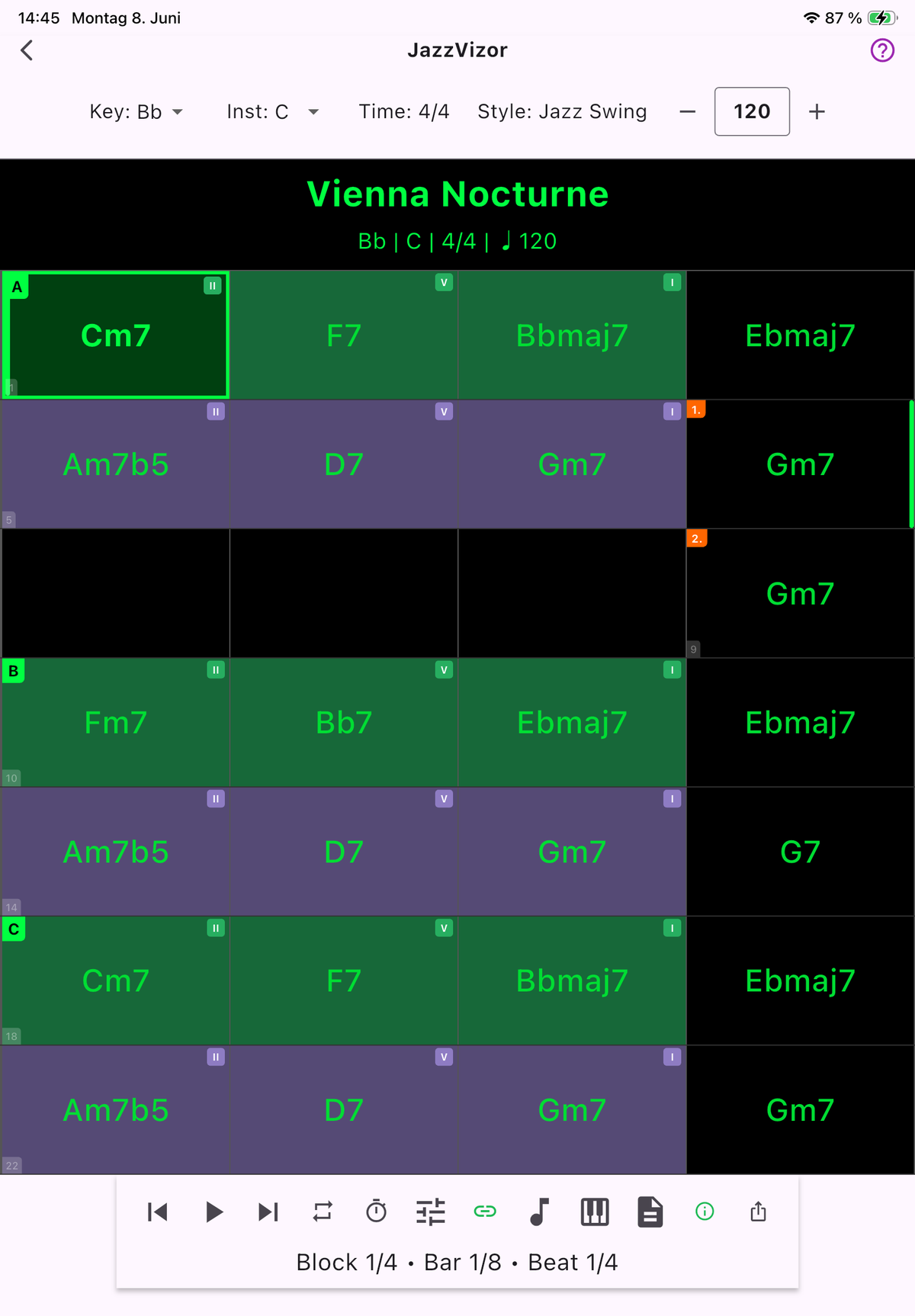
Auto-detection of 10 harmonic patterns — ii-V-I, turnarounds, tritone subs, Coltrane Changes, backdoor ii-V, chromatic ii-V and more. Color-coded grid at a glance.
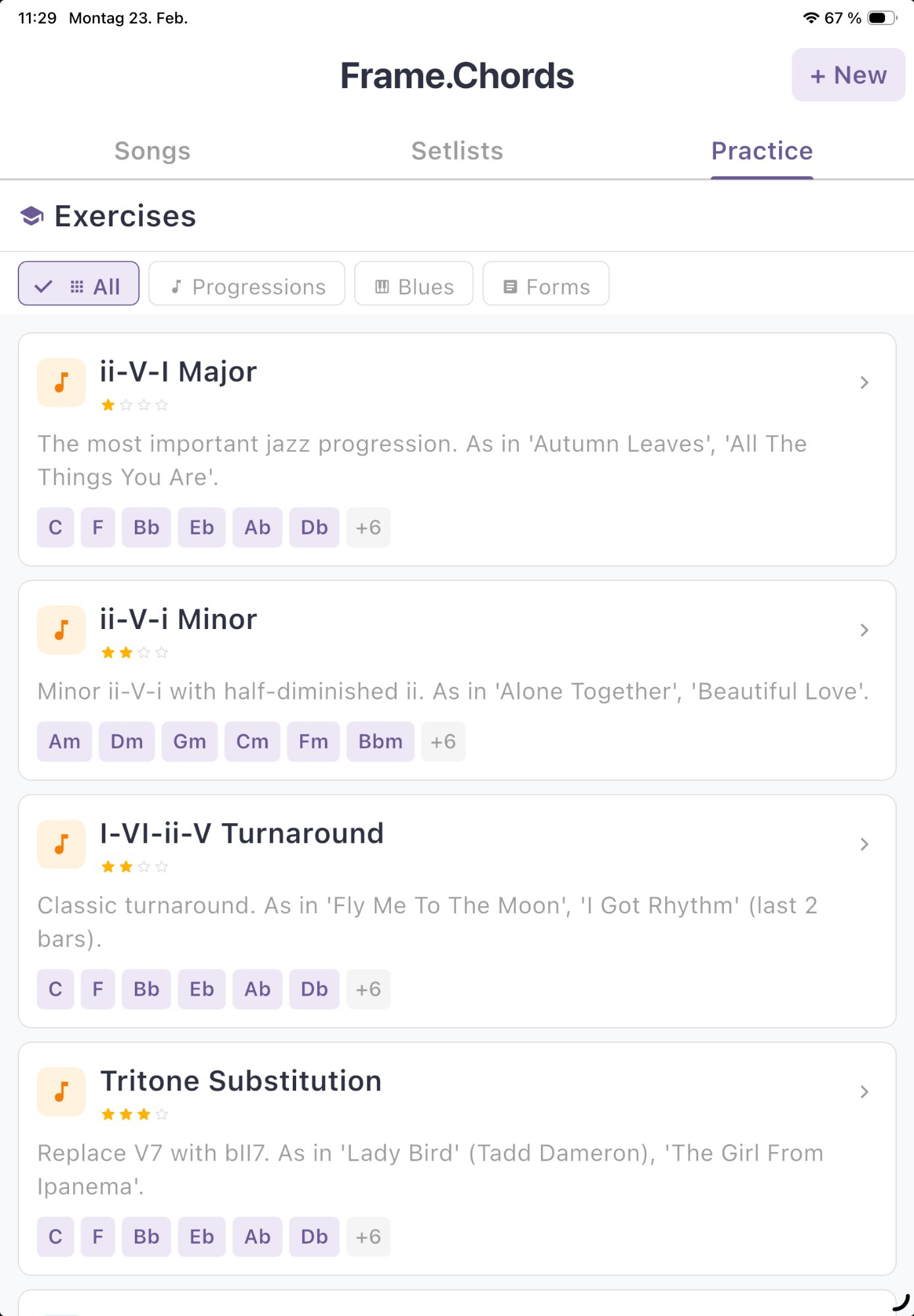
21 Structured Exercises
ii-V-I major/minor, turnarounds, tritone substitution, Coltrane Changes — all 12 keys, 4 difficulty levels.
Import MusicXML
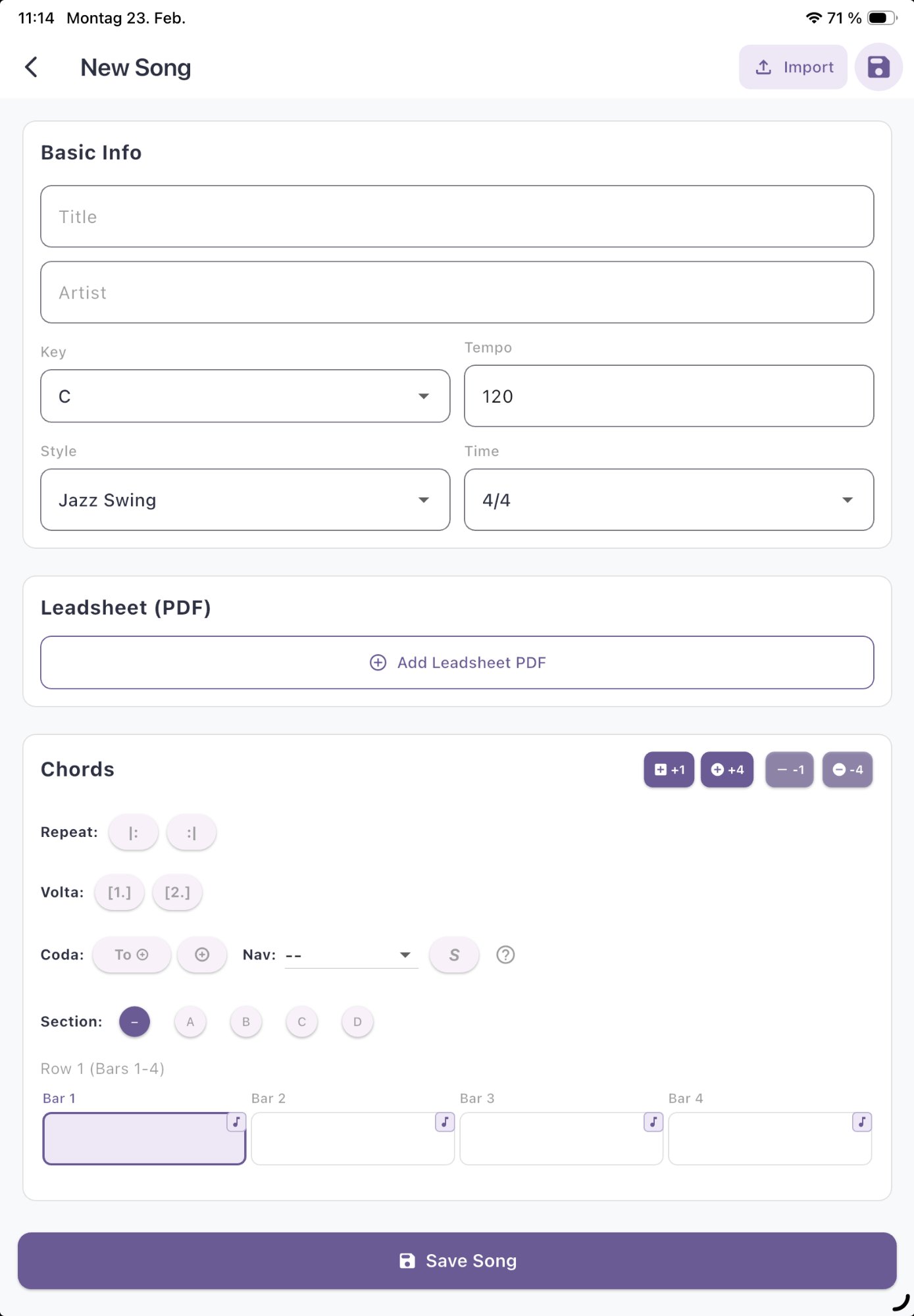
Compatible with iReal Pro and any standard-compliant MusicXML notation app. Supports .musicxml and .xml files. Imports your full chord chart — including sections (A/B/C), voltas (1./2.), repeats (|: :|), coda and D.C./D.S. markers. Multi-file selection with conflict-resolution dialog.
Import PDF Leadsheet
Attach a printed lead sheet (PDF) to any song — Add Leadsheet in the Song Editor, or Add File from the file picker. Read PDF while the app plays the chords.
Song Editor
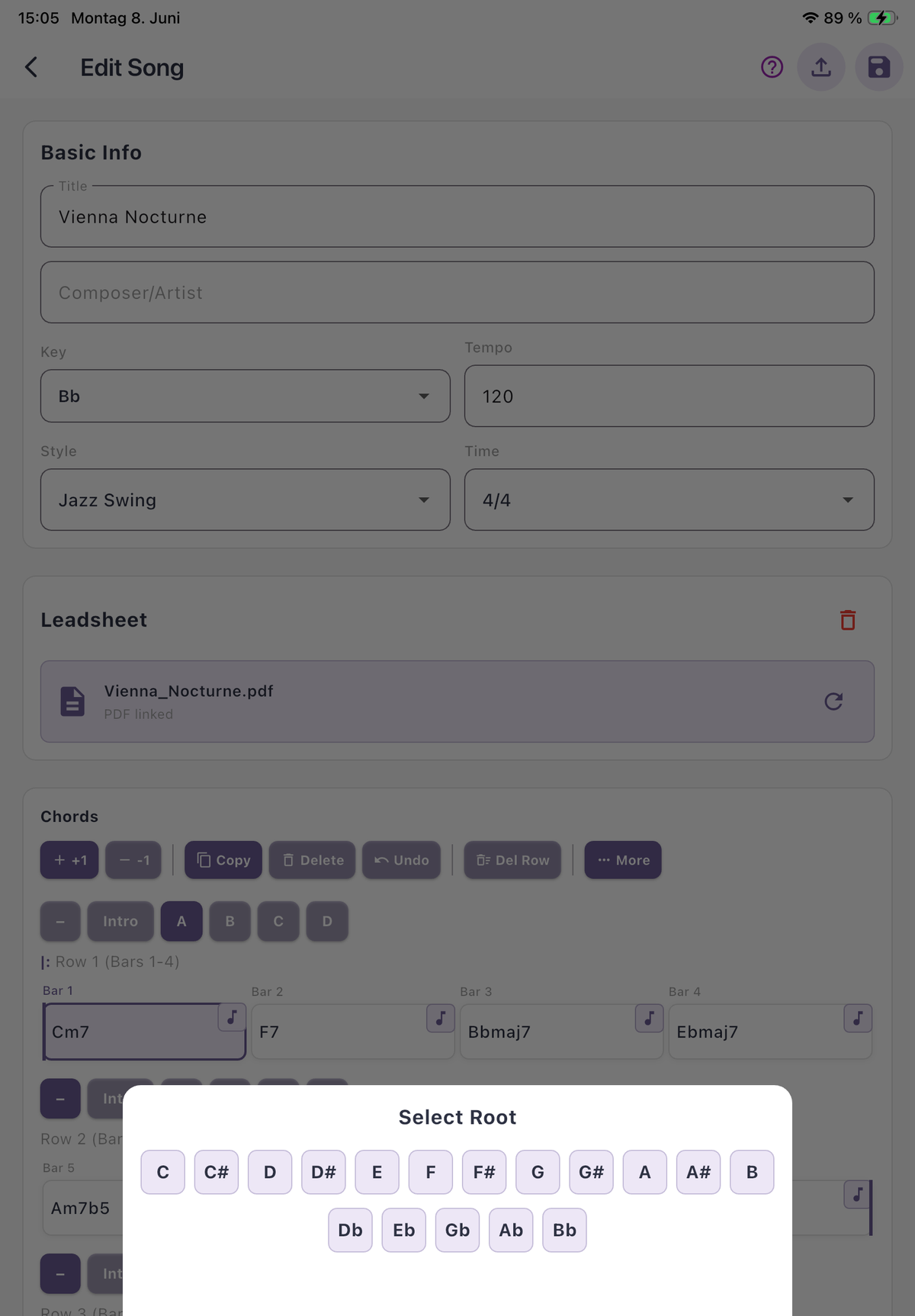
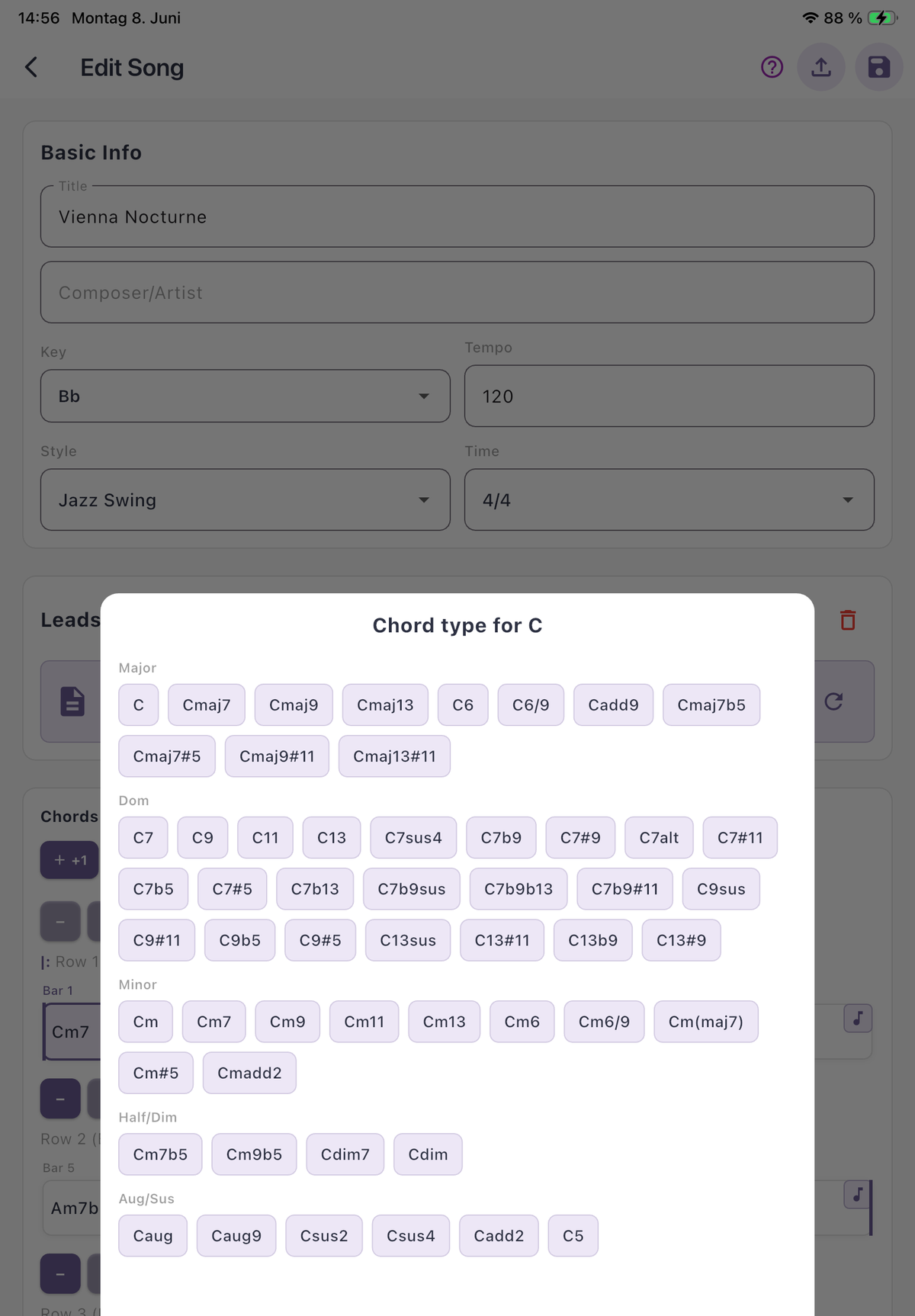
Create songs with drag & drop, copy/paste, undo. Repeats, voltas, coda, D.C., D.S. — full jazz notation support.
Export — PDF & Audio
3 PDF modes: Chords only · Chords + Scales · Chords + Piano Voicings (rootless Bill-Evans style).
Tempo Trainer
Gradually increase tempo +1 to +20 BPM per chorus. Build speed naturally — the way jazz educators teach it.
All-Keys Cycle & Transpose
Automatically transpose -5 to +6 semitones per chorus — master any song in all twelve keys. Plus instant transpose for C, B♭ & E♭ instruments (concert pitch, tenor/soprano sax, alto sax, trumpet, clarinet).
Lead Sheet Notation
Full MusicXML lead sheets with melody and chords. Adjustable note size (S/M/L) and bars per line. Powered by Verovio.
Setlists
Organize your gigs in folders. Drag to reorder. PDF export with titles, keys, and tempos.
Performance Mode
Setlists with auto-advance. Tap once at the start of the gig — the app moves through every song in order. Stay focused on the music.
Rokid Smart Glasses
Chords and lead sheet notation on Rokid AI & AR glasses — hands-free on stage. The world's first jazz app with smart glasses integration.
Currently Android only.
The right scale. The right phrases. Every chord.
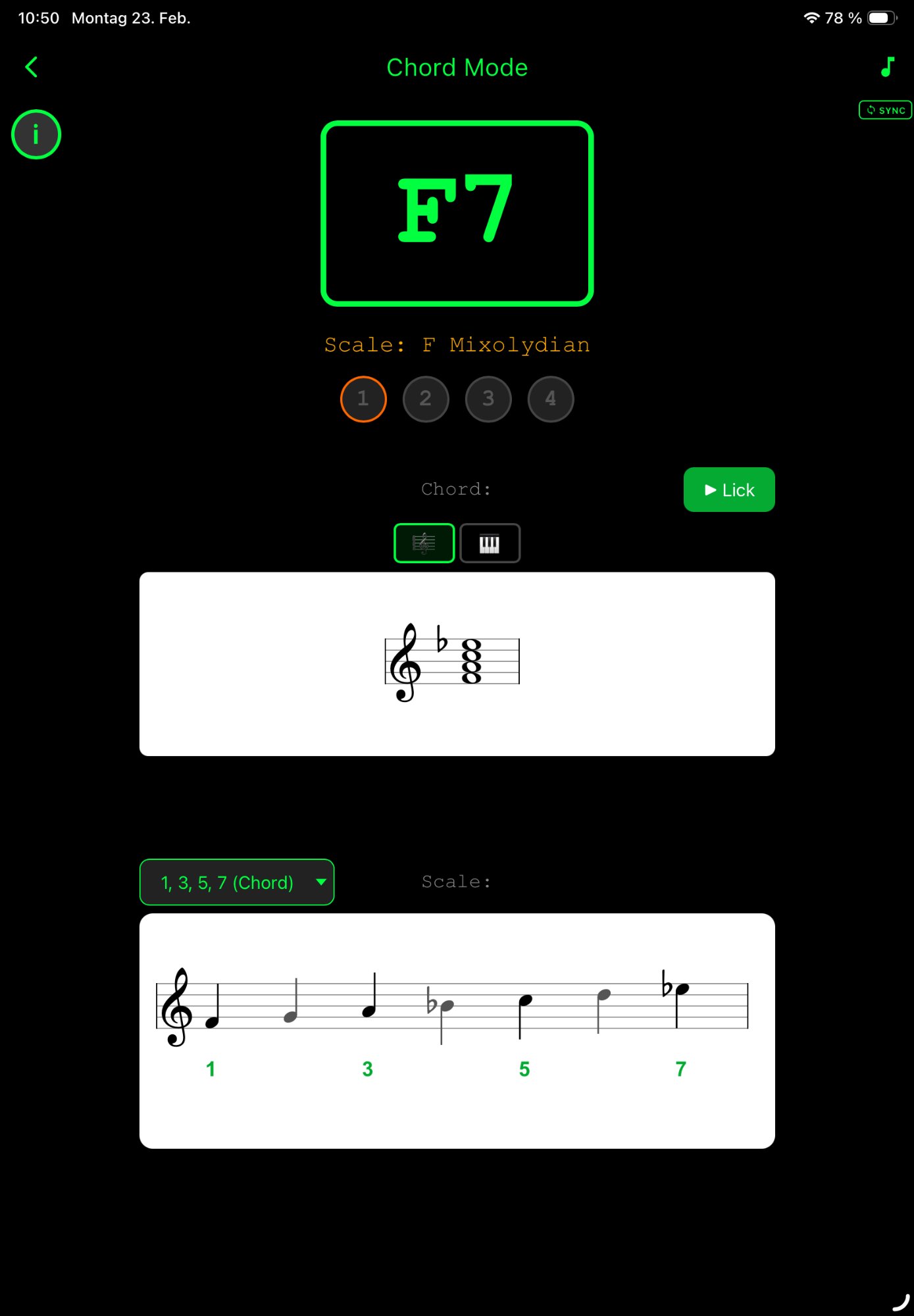
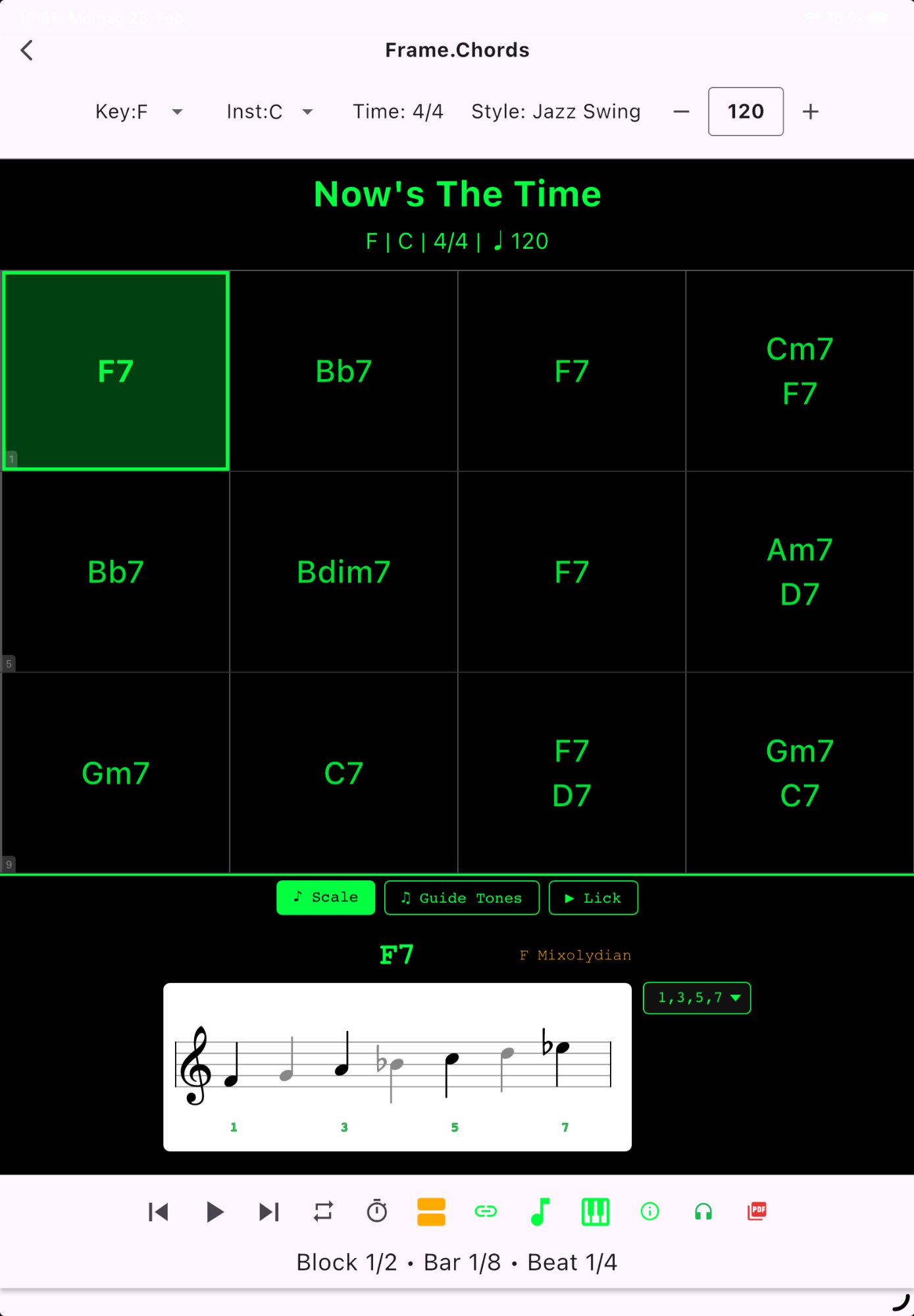
JazzVizor is built as a learning tool for improvisation. The chord grid is just the start — what makes the difference is what plays over it. Two ways to access it: a Widget Mode right inside the Grid View (with Scale and Lick tabs), and a full-screen Chord Mode for deep-dive on the current bar.
- Widget Mode — Scale tab 💡 marks the scale that fits the moment (II-V-I, tritone-sub, modal interchange aware) — shown directly under the chord grid. Choose alternatives anytime.
- Widget Mode — Lick tab — 40 built-in jazz licks plus add your own (import MusicXML phrases or save licks directly inside the app). All licks auto-transposed to every chord. Switch tabs without leaving the song view. Build vocabulary, not just theory.
- Chord Mode — Per-bar deep-dive: scale notation, interval grades (1 2 b3 3 4 5 6 b7), and instant scale alternatives on one focused screen.
Read your PDF while the music plays.
Attach your own PDF lead sheet to any song — Real Book pages, hand-written charts, your own arrangements. Hit Play and watch the green position marker follow the music live, bar by bar, beat by beat. No more losing your place on stage.
- Live position tracker — green beat indicators light up on the current chord, synced to the backing track
- Inline Scale Widget — recommended scale notation appears under the PDF, updated per chord
- Tempo-aware — speed up, slow down, A-B Loop, the tracker stays in sync
- Bring any PDF — your own arrangements, Real Book pages, hand-written charts via Add Leadsheet
- Hands-free reading — focus on your instrument, the app handles the page
Understand the song, not just the chords.
10 harmonic patterns auto-detected. The color-coded grid shows sections and progression types instantly:
- ii-V-I (major + minor) in green
- Turnarounds in blue, dominant chains in red
- Tritone subs, Backdoor ii-V, Chromatic ii-V
- Coltrane Changes, modal interchange
- Song form: Blues, Rhythm Changes, AABA…
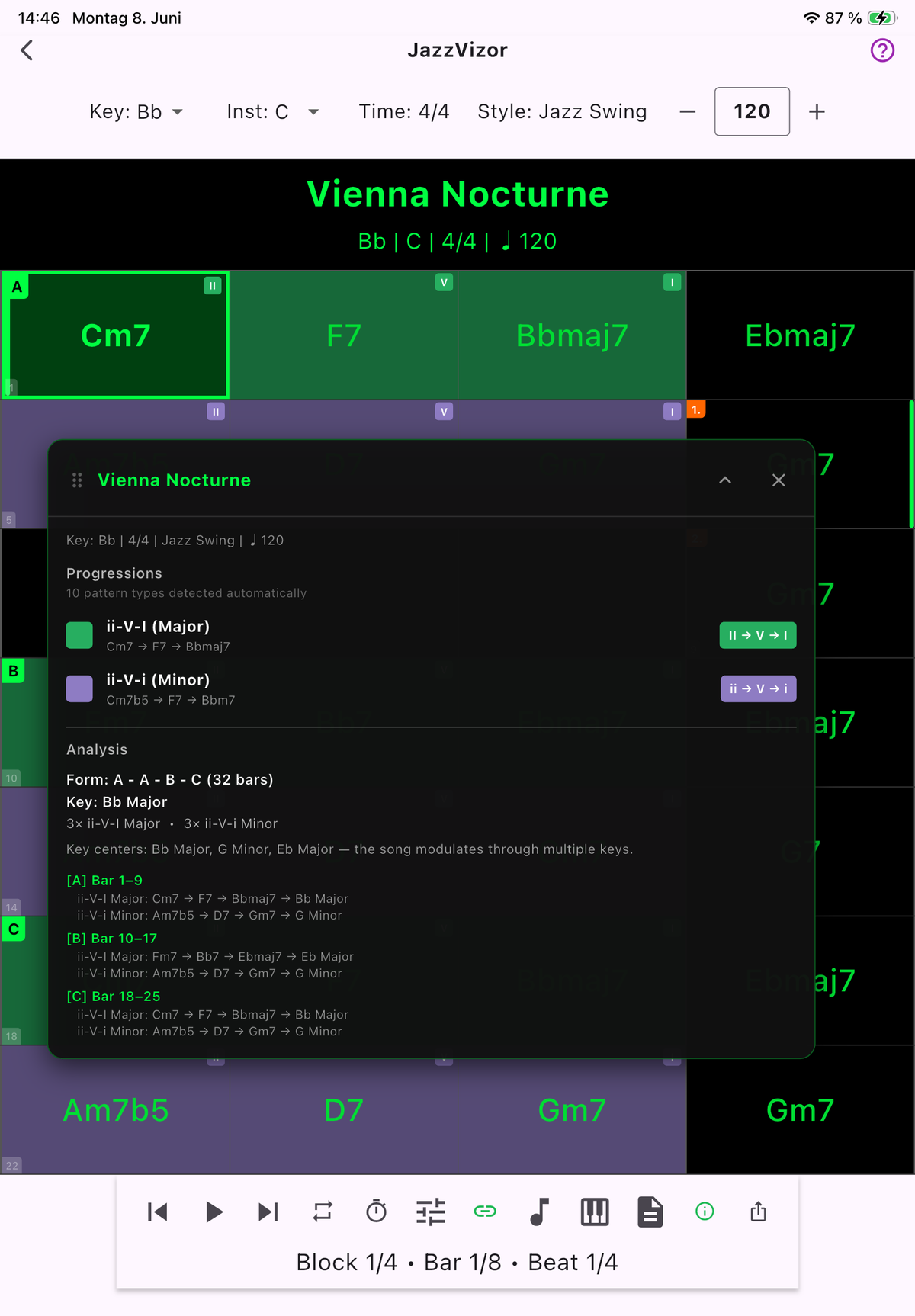
From lead sheets to full theory pages — plus playable backing tracks.
Export any song as a professional PDF in 3 modes — or render a high-quality M4A backing track. iReal Pro exports chords only. JazzVizor exports the theory and the music.
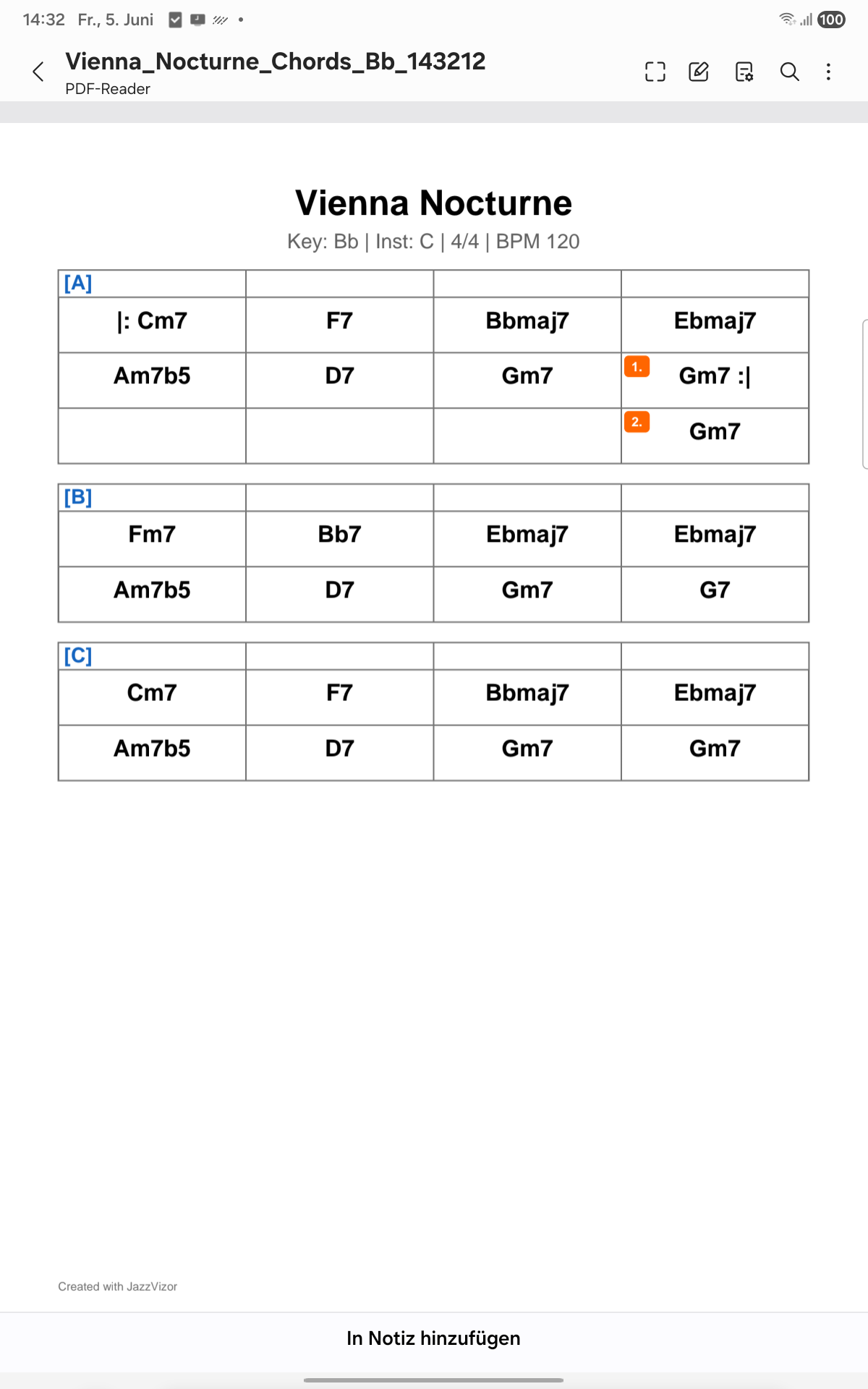
Clean lead sheet for the band stand
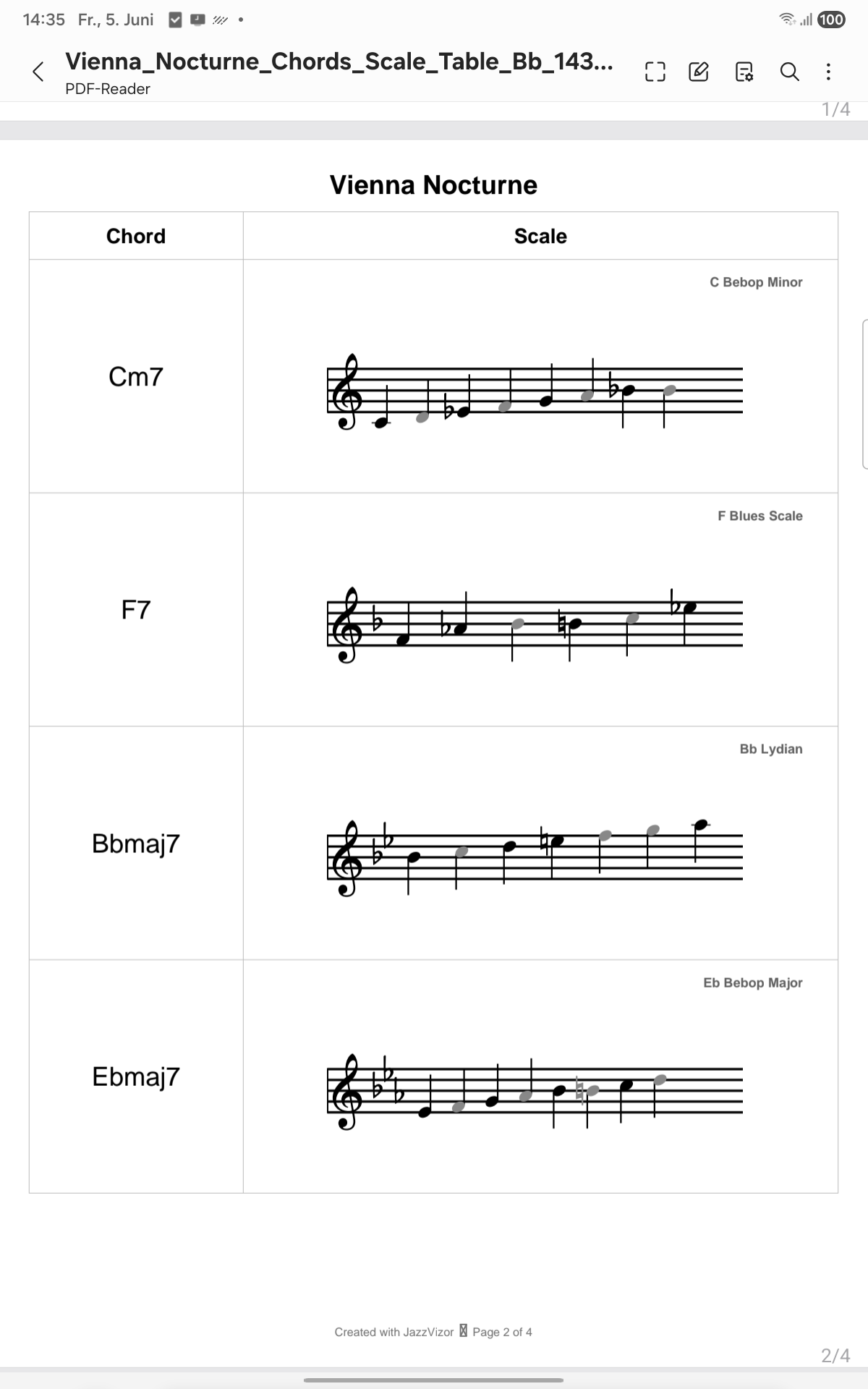
Scale notation under every chord — practice your improvisation
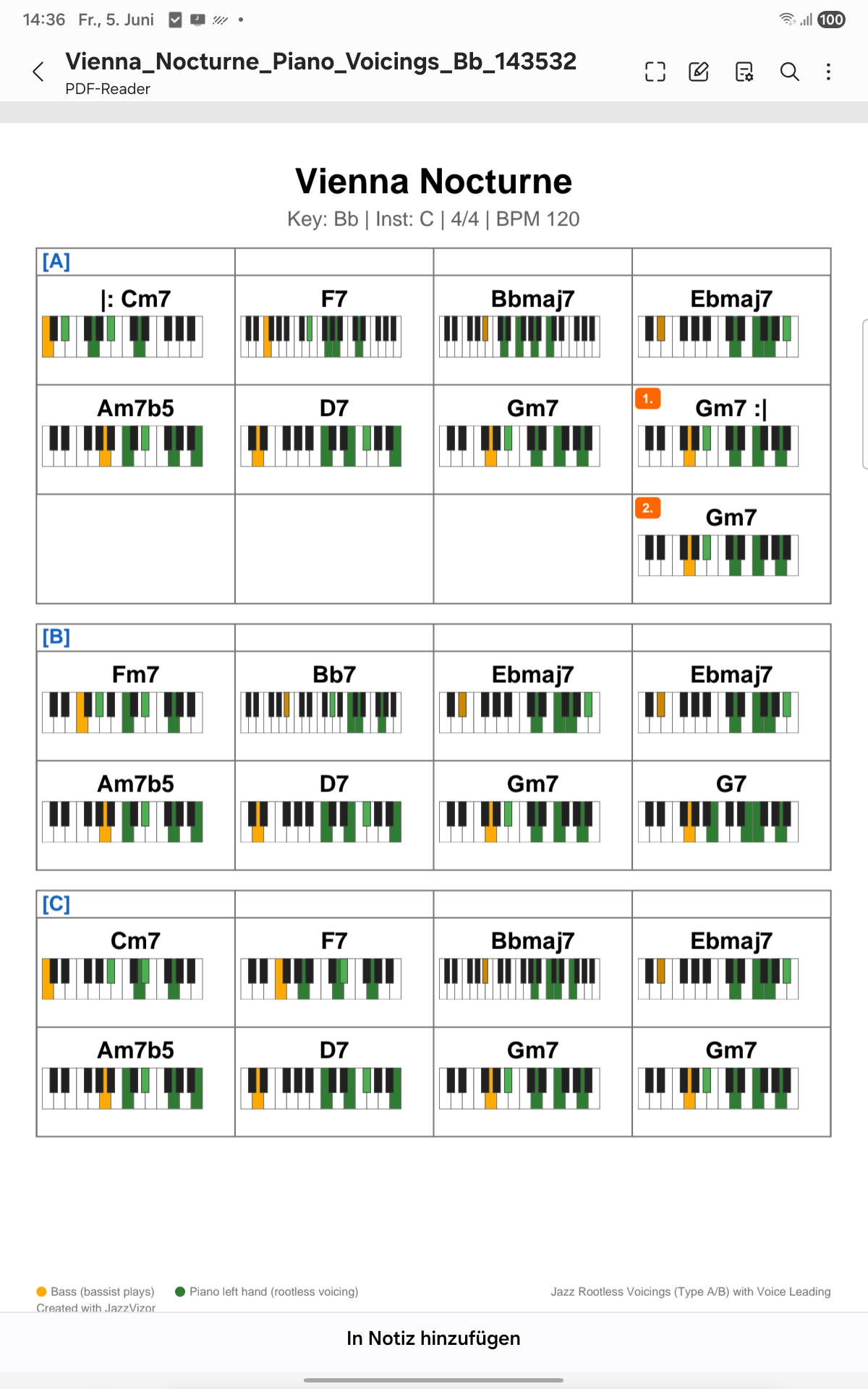
Rootless Bill-Evans voicings with keyboard diagrams
Structured exercises. Organized library.
Practice ii-V-I Major/Minor, turnarounds, tritone substitution, Coltrane Changes — in all 12 keys with 4 difficulty levels. Your song library with search, A-Z index, and setlist folders keeps everything organized for gigs and practice sessions.
Bring your own songs in.
JazzVizor is built around the open MusicXML standard — compatible with iReal Pro and any notation app that exports standard-compliant MusicXML. One Import button in the Song Editor.
- Supported file types — .musicxml and .xml (uncompressed). Save your file in this format from your notation app.
- Complete import — chord changes, sections (A/B/C), voltas (1./2.), repeats (|: :|), coda & D.C./D.S. navigation markers all read in correctly.
- Multiple files at once — work through your library efficiently, with a conflict-resolution dialog if a song already exists.
- Create from scratch — Song Editor with full chord-type picker (50+ types across Major, Dom, Minor, Half-Dim, Aug/Sus).
For personal practice & educational use. You remain responsible for the copyright status of any content you import.
Built for the stage. One tap and play.
Organize your gigs with folders and drag-to-reorder. When you hit Performance Mode, the app auto-advances through every song in your setlist — full-screen, large fonts, zero distractions.
- Reorder by drag — Setlist sequence in seconds
- Performance Mode — Auto-advance, full-screen, optimized for live
- Folder organization — Group by gig, set, or band
- PDF export — Print or share the whole setlist
See your chords. Read your sheet. Hands-free on stage.
JazzVizor streams chords and full lead sheets directly into the Rokid AI & AR glasses display — bright green on transparent glass. Glance up, read the next chord, keep playing. Your hands stay on the instrument.
Smart Glasses integration is currently Android only.
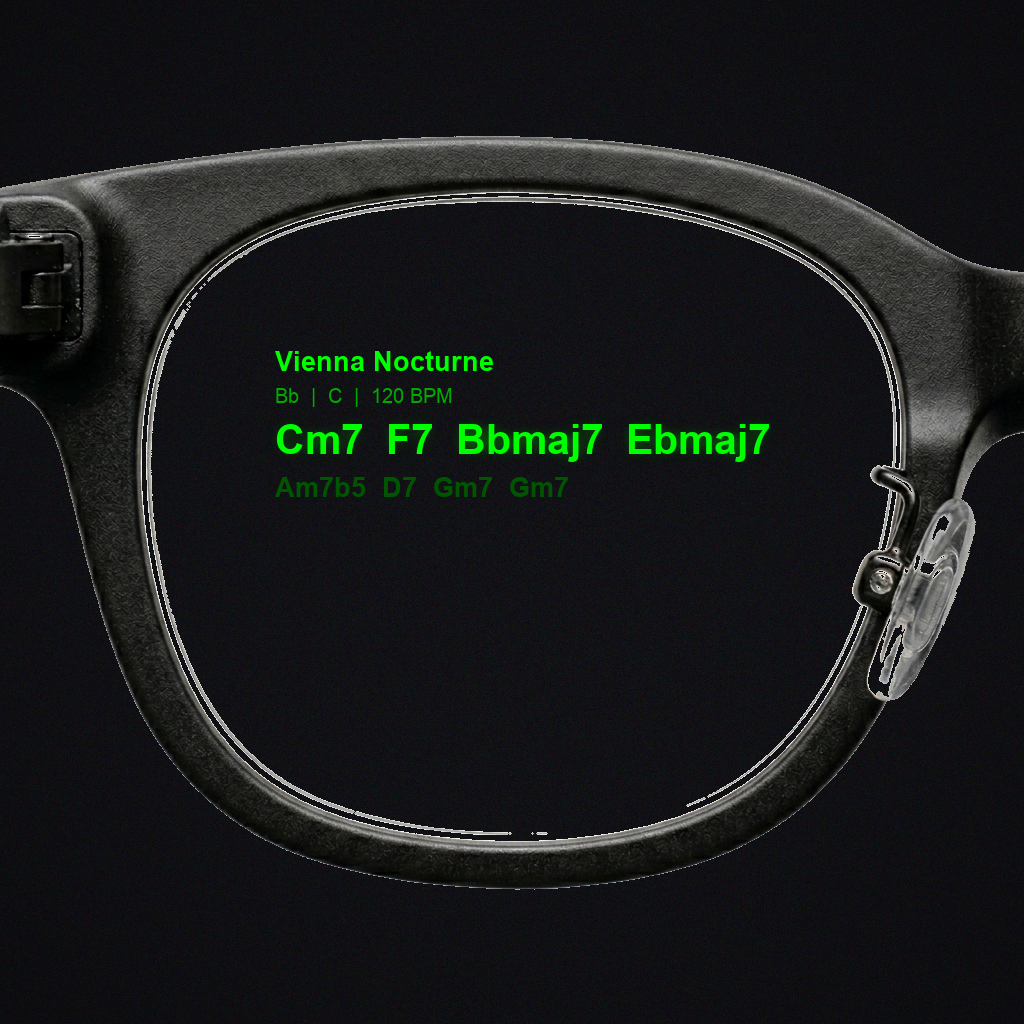
Current bar in bright green. Title, key & tempo at the top. Next chords dimmer — the way pros read ahead.
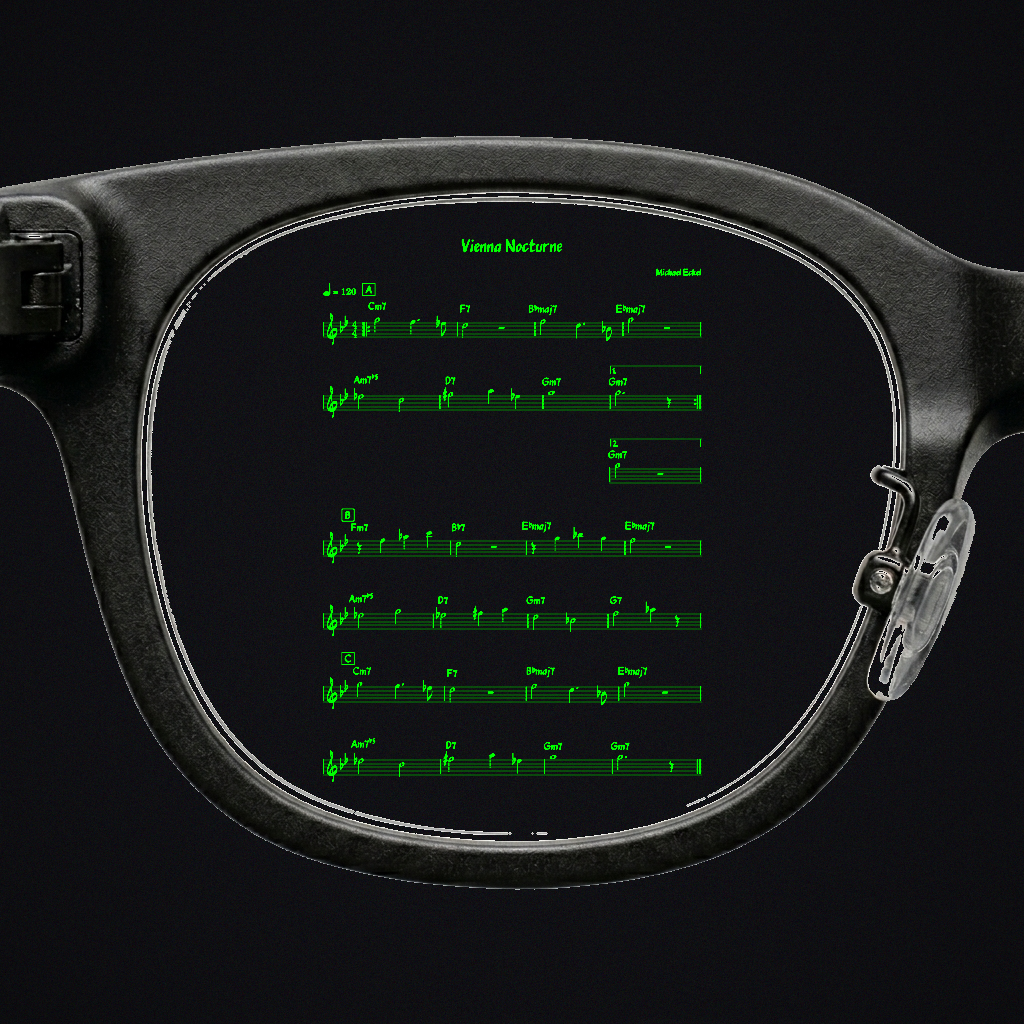
Full notation projected into your field of view — all sections, chord symbols, voltas. Read it like paper.
From import to improvisation in minutes.
Import or Create
Import MusicXML files (.musicxml/.xml) from iReal Pro or any standard-compliant notation app — or build songs from scratch in the Song Editor.
Analyze
10 harmonic patterns auto-detected. Transpose for Bb, Eb, or C instruments.
Improvise
Backing tracks in 6 styles. Smart Scale recommendation + Lick Library to build vocabulary. Tempo Trainer, All-Keys Cycle.
Perform
Setlists with Performance Mode auto-advance. PDF export. Smart Glasses on stage.
Start free. Go premium when ready.
No ads. No data selling. Built by a musician, for musicians.
- 5 songs
- MusicXML import (single file)
- Song Editor
- Smart Scale Recommendation 💡
- Chord Mode
- Multi-file bulk import
- Audio backing tracks
- Lick Library
- Piano Voicings
- Harmonic analysis
- PDF & Audio export
- Lead sheet notation
- Tempo Trainer & All-Keys
- Setlists & Performance Mode
- 21 structured exercises
- Rokid Smart Glasses
or €7.99 / month billed monthly
- Unlimited songs
- Multi-file MusicXML bulk import
- Full Song Editor (repeats, voltas, coda, D.C./D.S.)
- Smart Scale Recommendation 💡
- Chord Mode
- Audio backing tracks (6 styles)
- Lick Library (40 + your own)
- Piano Voicings (Type A & B)
- Harmonic analysis (10 patterns)
- PDF export (3 modes) + Audio M4A
- Lead sheet notation (MusicXML)
- Tempo Trainer & All-Keys Cycle
- Setlists & Performance Mode
- 21 structured exercises
- Rokid Smart Glasses (World First)
Students & Educators: €4.99 / month with school or university verification. Ideal for jazz conservatories & classroom use. Contact us →
"I built JazzVizor because I wanted the tool I wished I had when I started improvising. As a Big Band leader, I see musicians struggle with the same things — knowing what scale fits, hearing the voice leading, building vocabulary. This app makes that knowledge visible."Michael Eckel — Big Band Leader & Developer, Vienna
Ready to practice smarter?
Download JazzVizor for free and see the difference.
iPad, Android Tablet & Mac — designed for large screens